Before buying more Wi-Fi access points, identify whether the problem affects one application, one device or several users. Compare the same task over Wi-Fi and a comparable wired connection. That comparison helps choose the next test; it does not automatically identify the faulty component.
Choose your next test
What do you observe at the office?
This guide directs your checks. It does not measure your connection or change settings.
No data is sent. Test on authorised equipment without changing company protections.
Start with the symptom
| Observation | Next useful check | What it does not prove |
|---|---|---|
| One application is slow | Test another application and inspect the affected service | The access point is faulty |
| One device is affected | Compare another device in the same place; review the affected adapter | Every user needs new equipment |
| Several devices are slow on cable and Wi-Fi | Check the common path, Internet link and destination service | The radio network is the only cause |
| Cable works, Wi-Fi fails in one area | Inspect coverage, interference and the local access point | An extra access point is automatically the right fix |
| Cable works, Wi-Fi degrades across areas | Review radio capacity, channels, configuration and uplinks | Signal strength alone explains the problem |
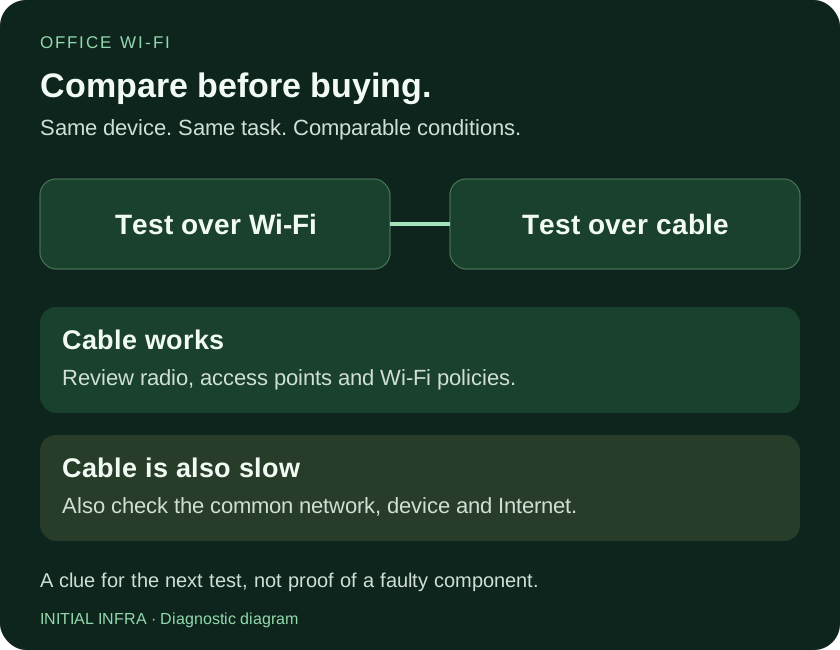
Read the diagram as text
OFFICE WI-FI Compare before buying. Same device. Same task. Comparable conditions. Test over Wi-Fi Test over cable Cable works Review radio, access points and Wi-Fi policies. Cable is also slow Also check the common network, device and Internet. A clue for the next test, not proof of a faulty component. INITIAL INFRA · Diagnostic diagram
Make the comparison meaningful
Use the same device and task where possible, disable Wi-Fi for the wired test, and preserve comparable permissions and required VPN or security controls. Record the time and number of active users. A quiet-office test may miss congestion during a meeting.
An Internet speed test includes the provider link and remote server; it does not isolate the radio network. A local throughput test such as iPerf can help separate those paths when run by an administrator on authorised equipment. Cisco Meraki documents wireless throughput testing and its limits.
Do not disable company protections merely to obtain a larger speed-test number. Compare repeatable conditions and retain the results.
Choose access points from actual use
Floor area alone cannot determine the quantity. Walls, materials, client density, channel use, uplink capacity and device capabilities all matter. Access-point placement and cabling can be more useful than replacing every unit.
A strong signal can coexist with congestion. Test at the expected busy time, with representative devices and applications. For people who walk during voice calls, test a call along the actual route and record interruptions. Using the same network name on every access point does not guarantee seamless roaming.
Wi-Fi 6E or 7 features only help where compatible devices, frequencies, design and local conditions support them. Ask what measured limitation a proposed upgrade addresses.
A guest network name is not proof of isolation
Guest traffic should reach the Internet without reaching company servers or administration interfaces. A separate SSID is only one part of that design. VLAN assignment, routing and firewall rules must enforce the boundary. Consider whether guests should also be prevented from reaching each other.
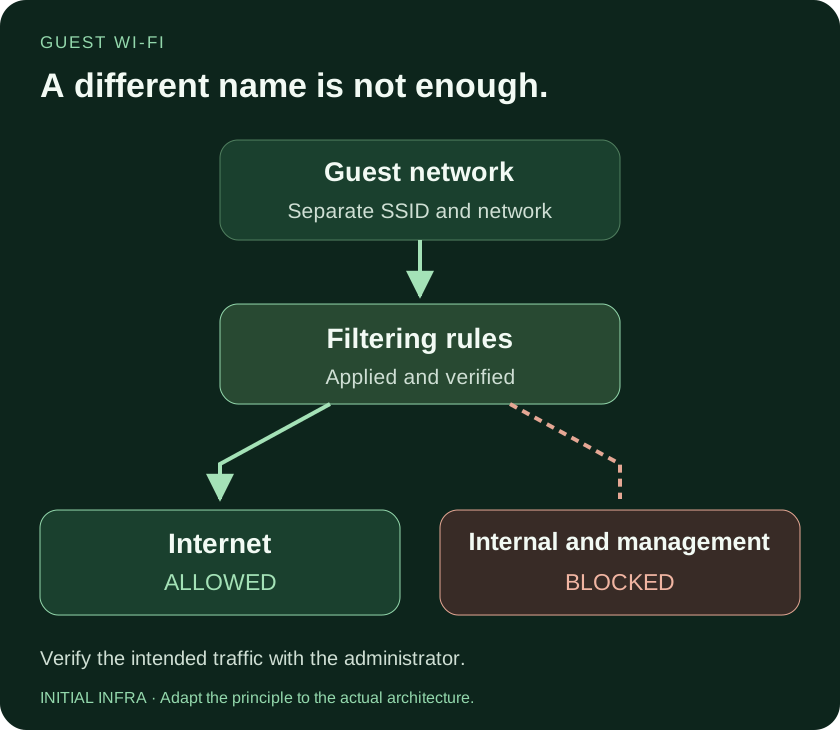
Read the diagram as text
GUEST WI-FI A different name is not enough. Guest network Separate SSID and network Filtering rules Applied and verified Internet ALLOWED Internal and management BLOCKED Verify the intended traffic with the administrator. INITIAL INFRA · Adapt the principle to the actual architecture.
From an authorised guest test device, check permitted Internet use and attempt agreed restricted destinations. Inspect network or firewall evidence for the expected denial. A page that does not open could fail for another reason and is not, by itself, proof of isolation. See the minimum firewall policy.
What a useful proposal includes
Request the planned locations, cable and switch requirements, licences, administration ownership, guest configuration and acceptance tests. Agree which tasks must work, where and under what expected load. Keep the resulting plan and configuration available to the company.
Use this worksheet
Wi-Fi test record for support
Record date, time, location, device and user count. Test an actual authorised task. Avoid load tests during critical activity.
Complete the worksheet
Nothing is sent or saved automatically. Download your answers before leaving the page.
A throughput difference alone does not identify a failure. Guest tests against a few targets do not replace a full filtering review.
For a wider investigation, use our network audit method. The purpose of the first tests is to direct the investigation before committing to equipment purchases.