The practical answer. Confirm connectivity at the new premises, phone-number transfer and the recovery plan before moving equipment. The moving date and IT cutover date can differ. Where the schedule allows, validate work at the new site before closing the old connection.

Begin when the premises are identified
An address eligible for fibre does not mean an active connection exists. Ask the operator for an installation date and identify building work, landlord access and any cabling prerequisites. During the site visit, check network sockets, cable routes, wireless coverage, power, ventilation and secure equipment space.
For a move in France, Arcep's business guide helps prepare these discussions. Coordinate cancellation with number porting. Check the French number-portability procedure before closing the old service. Other countries have their own operator procedures.
Assign responsibilities before moving day
Nominate an internal coordinator across the operator, building contractor and IT provider. State who transports equipment, reconnects cables, restores service and supports staff. Label equipment and connections, preserve configurations and test recovery of critical data before transport. Identify services restricted by public IP address so the responsible vendor can update its rules.
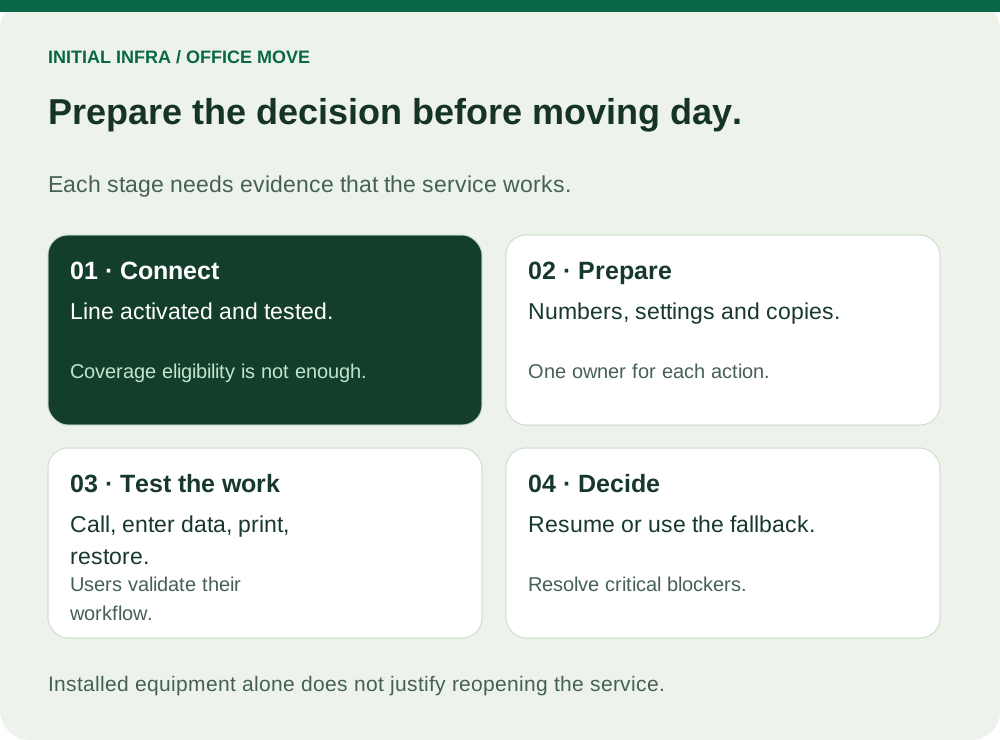
Read the diagram as text
INITIAL INFRA / OFFICE MOVE Prepare the decision before moving day. Each stage needs evidence that the service works. 01 · Connect Line activated and tested. Coverage eligibility is not enough. 02 · Prepare Numbers, settings and copies. One owner for each action. 03 · Test the work Call, enter data, print, restore. Users validate their workflow. 04 · Decide Resume or use the fallback. Resolve critical blockers. Installed equipment alone does not justify reopening the service.
A short readiness record should name each dependency, its owner, confirmed completion and fallback. If fibre installation is unconfirmed, do not describe the whole IT move as ready simply because the desks are installed. Keep a decision deadline before transport: proceed, use a tested reduced service, or postpone the IT cutover.
Accept the new site using business tasks
| Service | Evidence to obtain |
|---|---|
| Telephony | An inbound call reaches the intended person; greeting and forwarding work. |
| Printing and scanning | An employee prints and sends a scan to its normal destination. |
| Remote access | An authorised user connects from outside the office. |
| Business application | A transaction is saved and scheduled exchanges run. |
| Backup | A post-move job completes and a test file can be restored. |
A network-port light is not acceptance. Have someone produce a test quotation, print or send it, and receive a call from the new premises. The user confirms the result; the coordinator authorises reopening. Schedule this validation before everyone arrives.
Use this worksheet
Service acceptance at the new premises
Agree essential workflows before cutover. Test during an authorised window. Record an owner, result and fallback for each row.
Complete the worksheet
Nothing is sent or saved automatically. Download your answers before leaving the page.
Completion count alone does not authorise reopening. The owner decides from essential workflows and available fallbacks.
Include the people and peripherals that are easy to miss: a label printer, meeting-room screen, payment terminal or remote worker using a fixed VPN configuration. Record a failed essential task as an unresolved blocker, with an owner and a next decision, rather than signing off an equipment checklist.
Prepare a fallback before the deadline
Options include a mobile link tested at the new address, retaining selected desks at the old site, or postponing the cutover. Phone reception at the old office tells you nothing about the new building.
If both sites operate temporarily, decide where new orders and file changes are written. When falling back after staff have resumed work, preserve those new records; an old server image does not contain them. This is a data-reconciliation decision, not merely reconnecting a cable.
Use the network-audit guide and business Wi-Fi guide to prepare the technical checks. Send Initial Infra the new address, target date, workstation count and essential applications to scope the move and restart support.