Start MFA with administrator accounts, email, remote access and backups. These accounts can expose other services or prevent recovery. Then extend coverage to the remaining users and applications. Registration alone is not proof that the relevant sign-ins require a second factor.
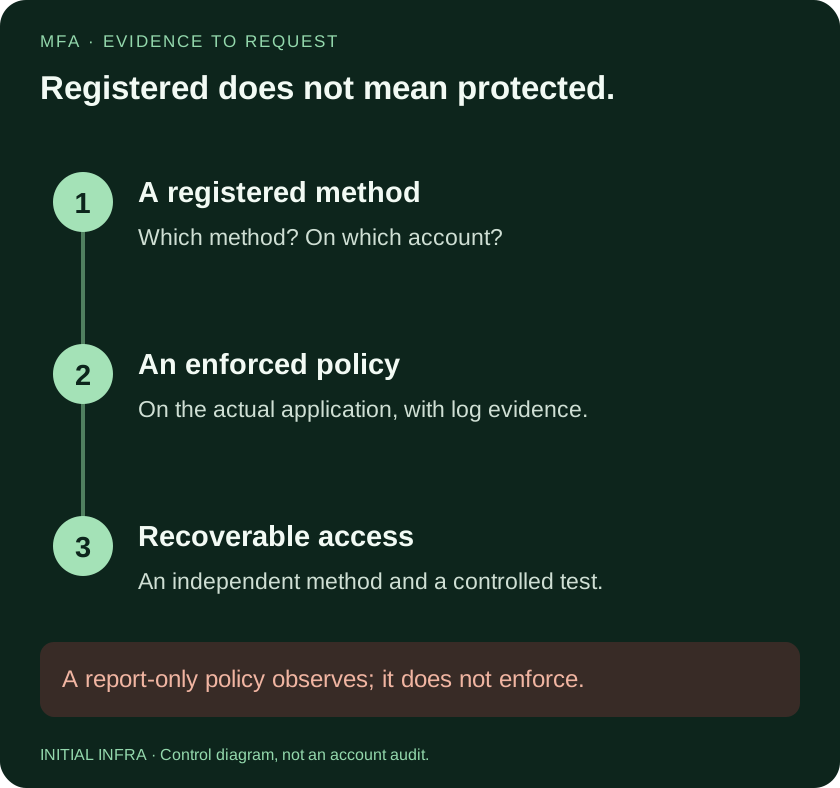
Read the diagram as text
MFA · EVIDENCE TO REQUEST Registered does not mean protected. 1 2 3 A registered method An enforced policy Recoverable access Which method? On which account? On the actual application, with log evidence. An independent method and a controlled test. A report-only policy observes; it does not enforce. INITIAL INFRA · Control diagram, not an account audit.
Choose the accounts by consequence
| Access | Why it comes first | Evidence to obtain |
|---|---|---|
| Tenant and infrastructure administrators | Can change permissions and security settings | A tested administrator sign-in and enforced policy |
| Often receives password resets and sensitive exchanges | MFA enforcement across relevant email access paths | |
| VPN and remote administration | Opens access beyond one cloud application | A real remote sign-in with the intended method |
| Backup consoles | Can affect the ability to recover | Protected access plus an independent recovery route |
| Finance and other sensitive SaaS | Can authorise payments or expose business data | Provider-specific settings and recovery owner |
An independently managed SaaS application is not automatically protected by a Microsoft 365 policy. Inventory its authentication path. Treat scripts and service identities separately: attaching a shared employee phone to an automated job is not a sustainable identity design.
MFA methods do not resist the same attacks
SMS and one-time codes can improve on a password alone, but an attacker can trick a user into entering them into a fake sign-in page. Authenticator approval can also be abused. Number matching helps with approval fatigue; it does not turn every approval into phishing-resistant authentication.
Where the service and devices support them, FIDO2/passkey methods and Windows Hello for Business provide phishing-resistant options. Validate compatibility, enrolment and recovery before imposing a method on every user. Microsoft's authentication strength documentation distinguishes the supported combinations.
In Microsoft 365, establish which policy applies
Security defaults provide a predefined baseline. They are not a way to design a custom rollout for selected groups. Conditional Access offers more granular conditions and requires appropriate licensing, commonly Microsoft Entra ID P1 for the relevant capabilities. Check your subscriptions and Microsoft's security defaults guidance before choosing a rollout method.
A Conditional Access policy in report-only mode records what it would do; it does not enforce that result. Review its effect, resolve exclusions and only then enable it through a controlled change. Keep a working administrator recovery path throughout.
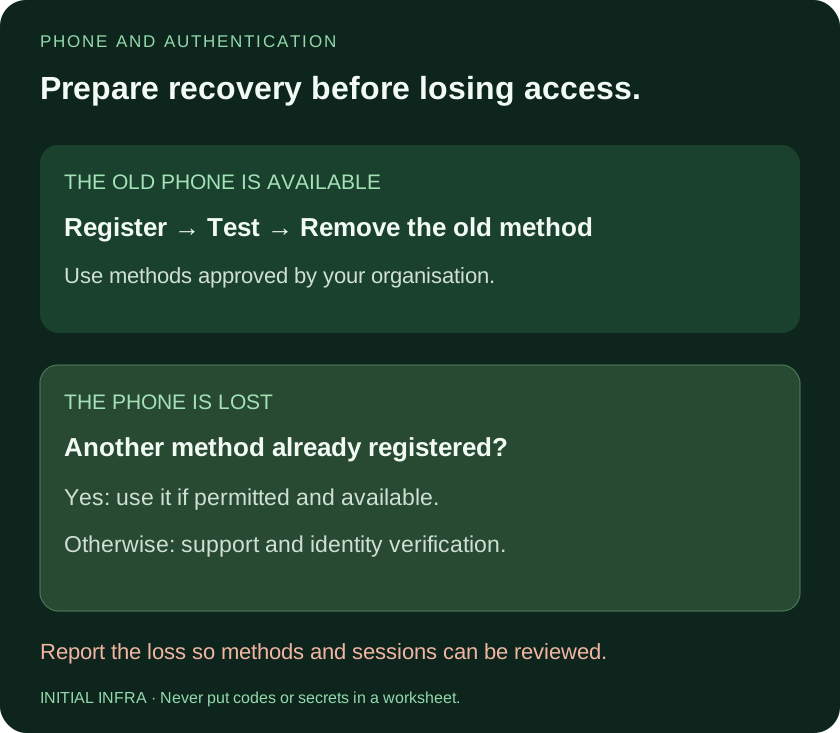
Read the diagram as text
PHONE AND AUTHENTICATION Prepare recovery before losing access. THE OLD PHONE IS AVAILABLE Register → Test → Remove the old method Use methods approved by your organisation. THE PHONE IS LOST Another method already registered? Yes: use it if permitted and available. Otherwise: support and identity verification. Report the loss so methods and sessions can be reviewed. INITIAL INFRA · Never put codes or secrets in a worksheet.
Plan for the lost phone before it happens
Write down who verifies the user's identity, who may reset authentication methods and how that action is recorded. Do not accept an unexpected email or a caller's knowledge of a colleague's name as sufficient proof.
When replacing a phone, register and test the new method before removing the old one. Remove obsolete methods and review sessions where compromise is suspected. Do not store a user's password and second-factor recovery material together in an ordinary shared document.
Microsoft recommends at least two emergency access accounts for Entra ID, with independent, phishing-resistant authentication, monitoring and regular validation. They must remain usable when the usual authentication route fails. Follow the emergency access procedure, including its test schedule, instead of creating an unmonitored permanent exception.
Check three separate outcomes
- Registration: the user has an approved authentication method.
- Enforcement: the intended application and sign-in conditions require it, as confirmed by testing and logs.
- Recovery: a lost device or unavailable normal administrator can be handled through an authorised, tested process.
Use representative accounts and actual access paths. A prompt observed in one browser does not prove coverage of every client, remote access service or independent application. Record the remaining exceptions with an owner and a review date.
Use this worksheet
MFA coverage and recovery record
Complete with the administrator. Use internal references rather than full account identifiers. No passwords, QR codes, secrets, MFA codes or recovery codes. Download before leaving.
Complete the worksheet
Nothing is sent or saved automatically. Download your answers before leaving the page.
A registered method does not prove enforcement on every access path. This worksheet does not audit accounts or certify security. Do not test recovery by removing your only available method.
For employees leaving the company, combine authentication changes with the offboarding access procedure. MFA does not remove existing sharing links or downloaded copies.