A provider handover is complete when the company and receiving team can operate and recover the agreed services. Receiving a folder of documents is only one step. Plan the transfer, test it, then close the outgoing provider's access.
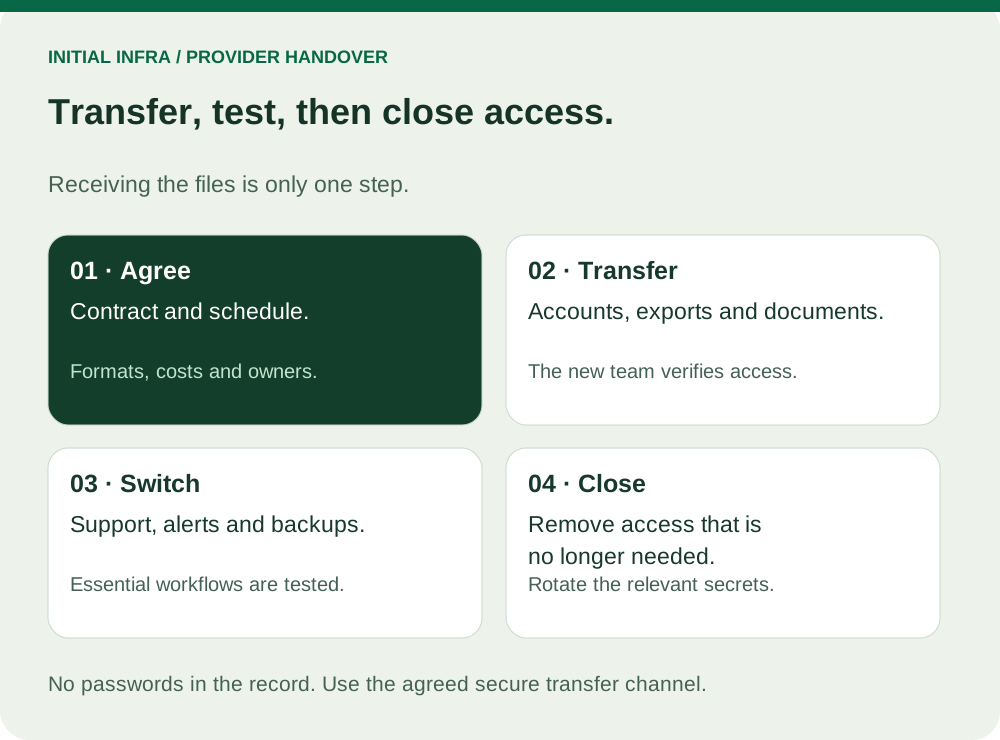
Read the diagram as text
INITIAL INFRA / PROVIDER HANDOVER Transfer, test, then close access. Receiving the files is only one step. 01 · Agree Contract and schedule. Formats, costs and owners. 02 · Transfer Accounts, exports and documents. The new team verifies access. 03 · Switch Support, alerts and backups. Essential workflows are tested. 04 · Close Remove access that is no longer needed. Rotate the relevant secrets. No passwords in the record. Use the agreed secure transfer channel.
What the handover should contain
| Item | What to recover | What to verify |
|---|---|---|
| Domains and DNS | Registrar, owner, zone records and renewal contacts | The company can authenticate and approve an authorised change |
| Cloud tenants | Company-controlled administration and recovery methods | Independent sign-in without the outgoing provider |
| Infrastructure | Inventory, network plan and configuration exports | Information matches the current equipment |
| Backups | Scope, retention, keys and restore procedure | The receiving team restores an agreed sample |
| Licences | Products, quantities, ownership and terms | Continued rights and any transfer restrictions |
| Monitoring | Checks, thresholds, recipients and escalation | A safe test alert reaches the new responsible person |
| Support | Open incidents, vendor contacts and unresolved risks | Every active item has an owner |
Transmit credentials through an agreed secure channel, separately from general documentation. Do not put passwords or recovery secrets into the downloadable worksheet.
Test control independently
Create or transfer named administrator access according to the platform's supported procedure. Confirm that recovery does not still depend on the previous provider's phone, mailbox or account. A successful sign-in today is insufficient if tomorrow's password recovery returns to them.
Check domain and tenant ownership early. A billing contact, technical administrator and legal owner may be different parties. Resolve the actual ownership and contractual position before scheduling the cutover.
Exports also need a destination. Establish whether the receiving product can import the format and preserve the required data, permissions and history. A licence assigned through a provider may need replacement rather than transfer; verify the contract and vendor rules.
Agree a sequence and a rollback trigger
- Confirm the inventory, open issues, transfer schedule and acceptance criteria with both teams.
- Establish receiving access, import the required configuration and test business operations and restoration.
- Confirm monitoring and escalation are active, then remove outgoing access and rotate shared secrets where necessary.
For a DNS change, record the exact records, intended destination, validation method and rollback conditions. Avoid combining an undocumented application migration with a provider handover if the extra change makes responsibility or recovery unclear.
Before revoking an account, check scheduled jobs, API credentials, backup agents and monitoring services that might use it. Move those dependencies to an appropriate controlled identity. Leaving an old provider account indefinitely because a task uses it is not a completed handover.
Sign off evidence, not delivery alone
Use one row per item with the expected deliverable, receiving owner, test date, result and unresolved reservation. Keep the outgoing service available for the agreed transition period when the contract permits it, with explicit access boundaries.
For personal data processed on your behalf, address return or deletion, continued retention obligations and subcontractor access under the applicable agreement. The CNIL's outsourcing guidance is relevant for organisations subject to the GDPR.
Use this worksheet
IT handover record
Record the sender, receiver, document reference and verification evidence. Never enter passwords, private keys or recovery codes.
Complete the worksheet
Nothing is sent or saved automatically. Download your answers before leaving the page.
The receiving team confirms the checks; the owner approves closure. Record reservations and dependencies before removing access.
The managed IT contract guide helps establish these obligations before signing. The backup test guide provides a small restoration exercise to use during acceptance.