Start a business transition to Linux by listing the work that must continue. The decisive question is whether people can use their applications, exchange accurate files and get support. Choosing a distribution comes after those dependencies are understood.
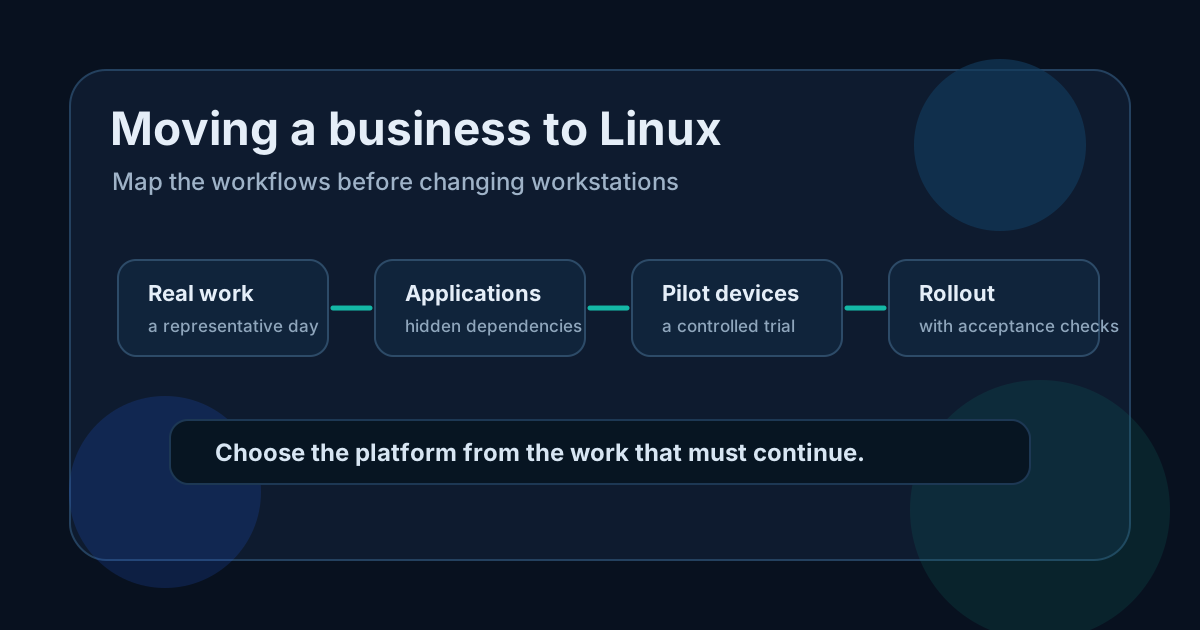
Read the diagram as text
Moving a business to Linux Map the workflows before changing workstations Real work a representative day Applications hidden dependencies Pilot devices a controlled trial Rollout with acceptance checks Choose the platform from the work that must continue.
Inventory dependencies by workflow
Do not classify a workstation only as "office use". An employee may use a browser all day but still need one spreadsheet macro, accounting connector or scanner function at month end.
| Area | What to record | Pilot evidence |
|---|---|---|
| Business applications | Product, version, vendor and supported platforms | The vendor confirms the intended deployment and support |
| Office files | Templates, macros, fonts and exchange formats | Real documents retain calculations, layout and editable content |
| Peripherals | Printers, scanners, card readers and specialist devices | The required functions work on the exact model |
| Network access | VPN, Wi-Fi authentication, file shares and certificates | Access works with company security controls enabled |
| Cloud services | Browser requirements, sign-in and device policies | The user's actual workflow and authentication succeed |
| Operations | Updates, inventory, endpoint protection, backups and support | The IT team can administer and recover the device |
For a Windows-only application, investigate the vendor's supported alternatives: a web edition, a maintained replacement or a retained Windows environment. A compatibility layer that launches the program once does not establish vendor support, data integrity or reliable updates.
Choose a pilot from a representative day
Select willing users with an identifiable workflow, including one or two meaningful dependencies. Define the operations before installation: open a supplier workbook, edit it, send it back, print the required format, connect from home and recover a deleted file.
Test exchange in both directions. A spreadsheet can look correct while losing a macro or changing a calculation. Compare expected values and formulas with a reference file, not just a screenshot. For documents, inspect pagination, fonts, signatures and export requirements.
Include periodic work. A quiet pilot week may not include payroll, invoicing or a monthly report. Schedule those cases explicitly using suitable test data.
Agree the acceptance decision before the trial
For each essential task, record the expected result, acceptable delay, responsible user and evidence. Decide which failures block deployment and which have an acceptable documented workaround. Count support time and rework, including errors discovered after files are exchanged.
An example of a blocking result is a required workbook that no longer calculates correctly. An example of a possible workaround is a clearly identified task retained on an authorised Windows workstation, if the extra access and support burden is acceptable. These are decision examples, not observed client outcomes.
Keep a recovery route for pilot devices. Preserve required data and a tested way to restore the previous working environment. Before reverting, identify files changed during the pilot so the fallback does not silently discard new work.
Retain a mixed environment where justified
A company can move compatible workflows to Linux while retaining Windows for specific applications. Document who uses the retained environment, its licences, access controls and maintenance. Avoid creating an unofficial shared computer with one shared account to handle every exception.
The objective is a supportable environment. Standardise a small number of approved configurations and keep ownership of exceptions clear. For storage choices that affect both platforms, see NAS or SharePoint.
Select the distribution and support together
Check the exact release's maintenance lifecycle, supported hardware, application coverage and support contract. A vendor may distinguish the base operating system, optional repositories and third-party packages. Confirm that the packages you actually use are covered.
Ubuntu's release lifecycle and Ubuntu Pro documentation explain its coverage options. Red Hat publishes its Enterprise Linux lifecycle. Use these as product-specific references, not evidence that every Linux installation receives the same support.
Budget for the transition and operation
A free software licence does not eliminate migration, user training, document conversion, testing or support costs. Compare those costs with the Windows services and licences that would actually end. Include any Windows environment you retain; do not count its licence saving if you still need it.
Plan deployment in small waves with a responsible person, a support route and a review after each wave. Keep configuration and recovery documentation current. A pilot that passes the business tests gives a basis for extending the rollout; it does not prove every department is ready.
To prepare the broader inventory, use the IT audit checklist.
View sources (5)
Support available on this topic
Initial Infra handles these topics for SMBs and mid-size companies. A short call is enough to identify priorities and the right scope of intervention.